
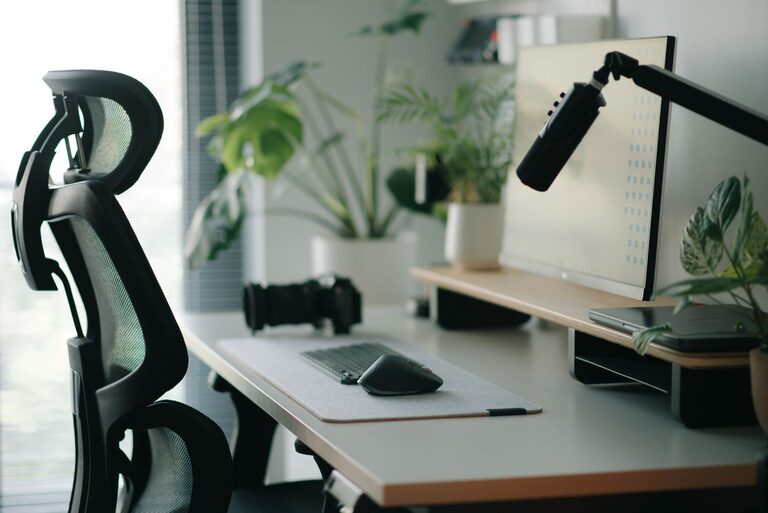
Creating an ideal desk setup is key to maintaining focus and comfort during work or study sessions. Whether you work from home or in an office, having a thoughtfully arranged workspace can improve productivity and reduce fatigue. In this post, we’ll explore practical tips to help you design a desk setup that supports your well-being and concentration.
Why Your Desk Setup Matters
Your desk is where you spend many hours daily. An uncomfortable or cluttered workspace can cause distractions, aches, or even long-term health issues. On the other hand, a well-organized and ergonomically designed desk can enhance your efficiency and keep you comfortable all day long.
Ergonomics: The Foundation of Comfort
Choose the Right Chair and Desk Height
Start by ensuring your chair and desk are at appropriate heights:
– Your feet should rest flat on the floor or on a footrest.
– Knees should be at about a 90-degree angle.
– Your desk height should allow your forearms to be parallel to the floor when typing.
– Adjust your chair’s backrest to support the natural curve of your spine.
Position Your Monitor Correctly
Your monitor placement influences neck and eye strain:
– Place the monitor about an arm’s length away.
– The top of the screen should be at or slightly below eye level.
– Tilt the monitor slightly upward to avoid glare.
If you use multiple screens, align them carefully to minimize head turning.
Use a Comfortable Keyboard and Mouse
Choose a keyboard and mouse that feel natural to your hands, and position them so your wrists remain straight. Wrist rests can provide added support, but avoid resting your wrists on them while typing.
Organizing Your Desk for Focus
Declutter Regularly
A cluttered desk can overwhelm your mind. Keep only essential items on your desk and organize the rest in drawers or shelves. Try to maintain clear surface space to help you focus.
Utilize Storage Solutions
Use drawers, trays, or desk organizers to store supplies like pens, notebooks, and chargers. Labeling containers can simplify locating items quickly.
Keep Frequently Used Items Within Reach
Place items you use daily—like your phone, water bottle, or notepad—close by to avoid unnecessary stretching or standing.
Lighting and Ambiance
Opt for Natural Light When Possible
Natural light improves mood and alertness. Position your desk near a window if possible, but avoid glare on your screen.
Use Task Lighting
If natural light is limited, add a desk lamp with adjustable brightness and color temperature. This helps reduce eye strain, especially during evening hours.
Personalize Your Space
Add plants, photos, or artwork that inspire you without causing distraction. A personal touch can make your workspace more inviting.
Incorporate Movement and Breaks
Take Regular Breaks
Stand up, stretch, or walk around at least once an hour. This helps reduce stiffness and boosts circulation.
Consider a Standing Desk
If feasible, use a sit-stand desk to alternate between sitting and standing. This can help reduce discomfort and improve energy levels.
Cable Management
Tidy cables prevent distractions and hazards:
– Use cable clips or sleeves to group wires.
– Route cables behind or underneath desks.
– Keep charging stations organized.
Tech Tips for Focus
Minimize Digital Distractions
Keep only essential tabs and apps open during focused work periods. Use tools that block distracting websites if needed.
Maintain Screen Cleanliness
Clean your monitor regularly to avoid smudges that can cause eye strain.
Final Thoughts
A desk setup tailored to your needs is an investment in your productivity and well-being. By combining ergonomic principles, thoughtful organization, and a pleasant environment, you can create a workspace that helps you stay focused and comfortable throughout the day. Start small—change one aspect at a time—and soon you’ll notice a positive difference in how you work.